SOP 09 · People and access · 2026-10-12
Invite a person to the workforce app
Create one workforce identity with the required property roles.
Before you start
Confirm the email and intended roles. Supervisors can grant Employee or Supervisor only at properties they manage; organization administration is not granted.
Open Manage > People administration > Invite
Step 1 Open invitations
In People administration choose the invitation action. On web the page is Invite a person to the app.
Step 2 Enter contact details
Enter First name, Last name and Email address. Add Phone number if available. Confirm the email with the person before sending.
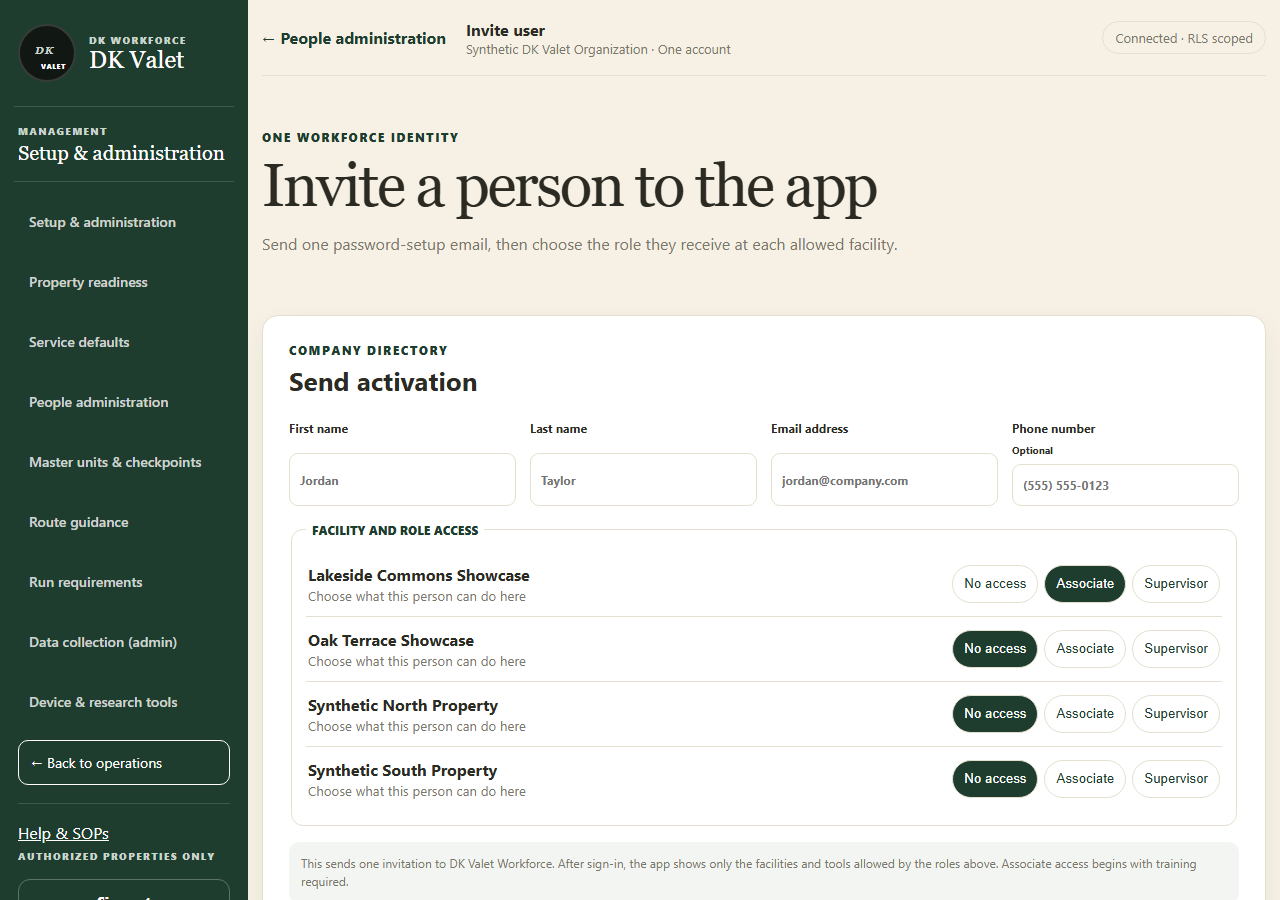
Invite a person to the app: use the property selector and the task controls shown. Application screenshot with training data. Select the picture to enlarge. Step 3 Choose facility access
For each allowed property choose No access, Associate or Supervisor. Select only the access the person needs.
Step 4 Send and inspect the result
Select Send one app invitation. Wait for success and inspect Recent invitations. The person must use their activation email.
Step 5 Correct an unused invitation if needed
For an incorrect outstanding invitation use its cancellation action and provide the required reason. Check the resulting status before sending a replacement.
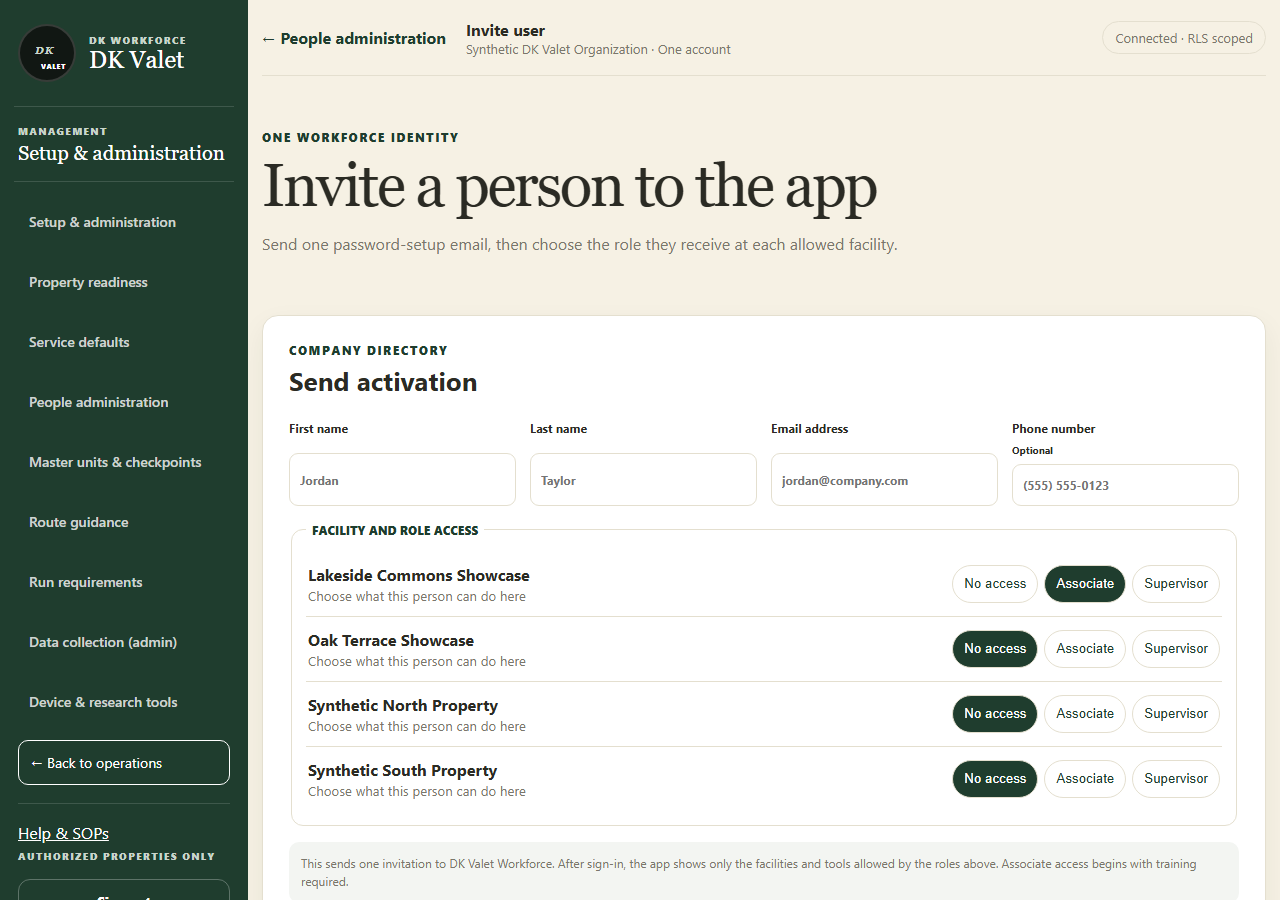
Check your result
One invitation record shows the intended recipient and property access.
If something goes wrong
Do not repeatedly send invitations after an uncertain response. Refresh recent invitations first.