SOP 16 · Scheduling · 2026-10-12
Review a time off request
Approve or decline a request and resolve the staffing impact separately.
Before you start
Review the employee, property and full requested interval.
Open Review > Time off & coverage
Step 1 Open requests
Choose Review, then Time off & coverage. On mobile open Requests for the property.
Step 2 Inspect the time off request
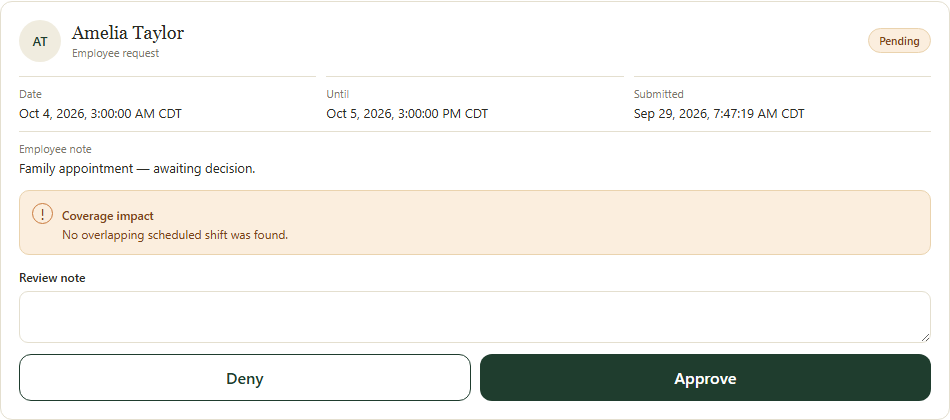
Read requested dates, local times, note and current status. Compare against the staffing schedule.
Step 3 Record the decision
Choose the available approval or decline decision, enter the decision note and submit the review.
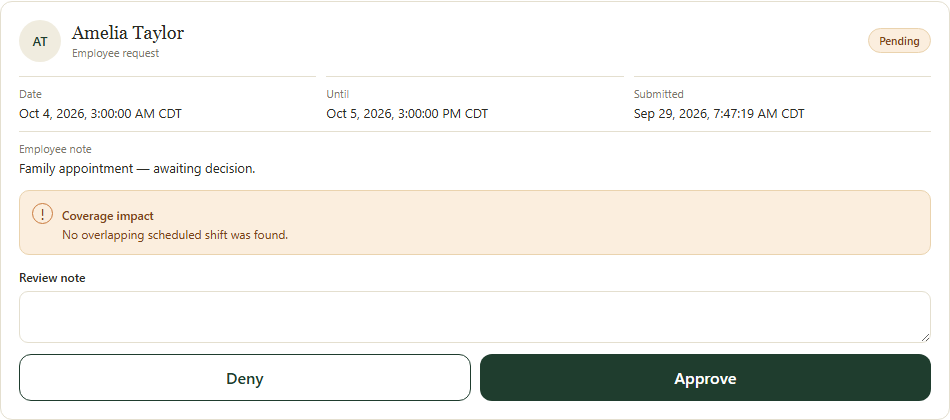
Read the request and coverage impact before recording the approval or denial. Application screenshot with training data. Select the picture to enlarge. Step 4 Check staffing separately
Refresh the request status. If approved leave conflicts with a shift, adjust staffing or arrange coverage; the request does not automatically cancel an assignment.
Check your result
The recorded decision appears on the request and any staffing gap has a separate plan.
If something goes wrong
If the request changed before saving, refresh and review its latest state.