SOP 08 · Property setup · 2026-10-12
Maintain standing start instructions
Give setup participants and associates the information they need before starting.
Before you start
Prepare short, property-specific instructions. Do not put access codes or private credentials in notes.
Open Manage > Service defaults > Standing instructions
Step 1 Open the instructions
Select the property in Service defaults, then find Standing instructions. On mobile open Standing instructions for that property.
Step 2 Write the two messages
Use Before property setup for setup participants and Before an associate route for workers. Leave a message empty when no special instruction is needed.
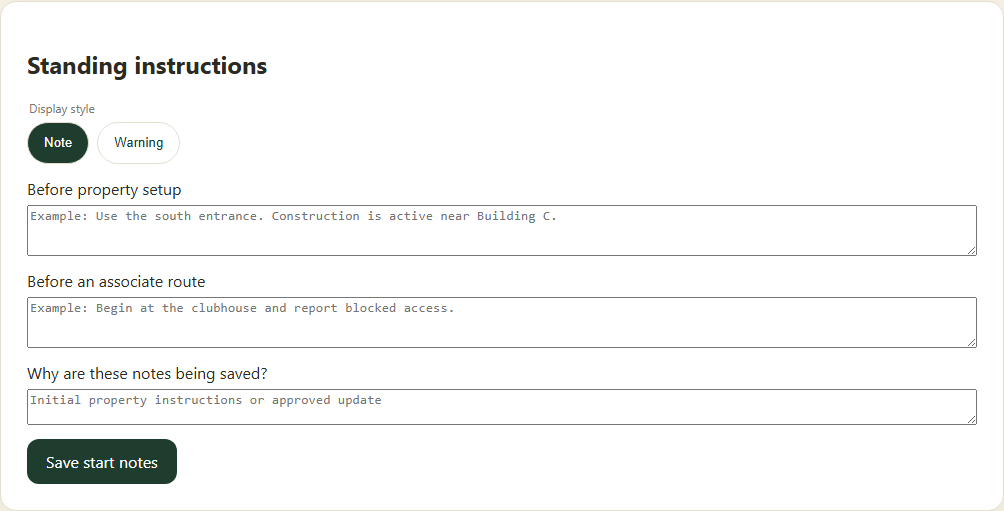
Separate setup instructions from the message associates read before a route. Application screenshot with training data. Select the picture to enlarge. Step 3 Review the message style
Use the warning option only when the information changes what the person should do. Check names, entrances and current hazards.
Step 4 Save and verify
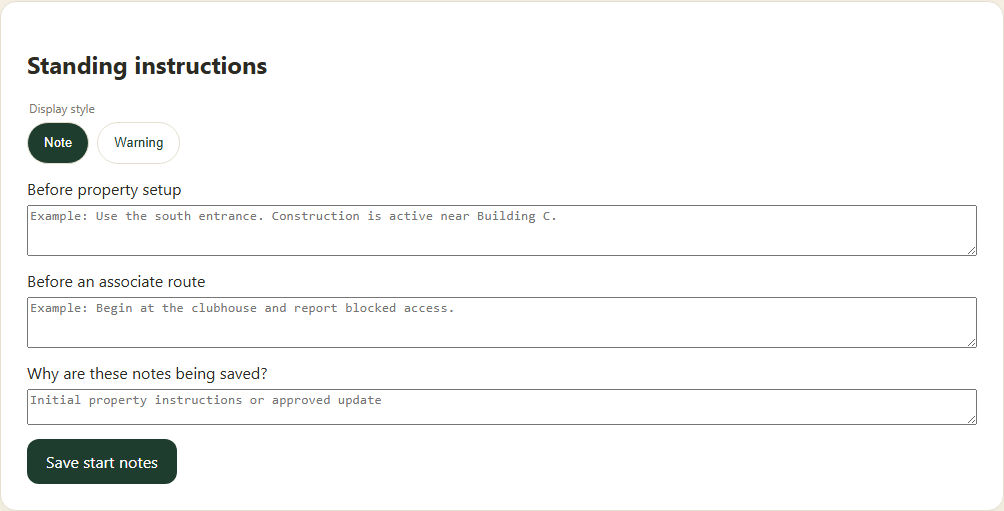
Enter the reason and select Save start notes. Verify the saved text and version. Associates review the applicable message during route preparation.
Check your result
The property displays the saved start notes.
If something goes wrong
A saved note does not replace direct escalation for an immediate safety issue.