SOP 54 · Property setup · 2026-10-12
Configure building and floor numbering
Decode consistent door labels for future setup marks without treating GPS as floor evidence.
Before you start
Know the actual property numbering convention. Earlier observations are not changed.
Open Manage > Property > Unit numbering or floor rule
Step 1 Open the selected property
On web open Service settings, then Unit numbering. On mobile select the property in Manage, then Unit numbering or floor rule.
Step 2 Describe the label
Use one B, F or U per character for building, floor and unit groups. BFUU decodes 1324 as building 1, floor 3, unit 24. Use the floor offset only when the actual convention requires it.
Step 3 Test a real example
Enter a representative label in the preview. Check every decoded field. Nonmatching labels remain unknown; explicit building and floor entries override decoding.
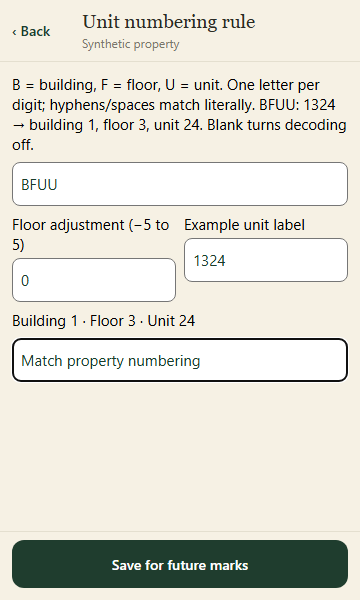
Preview the actual label convention before saving a rule for future setup marks. Application component preview with training data. Select the picture to enlarge. Step 4 Save for future marks
Enter a reason and save. A blank pattern disables future decoding. The rule version and original request are retained; changing rules does not rewrite historical evidence.
Check your result
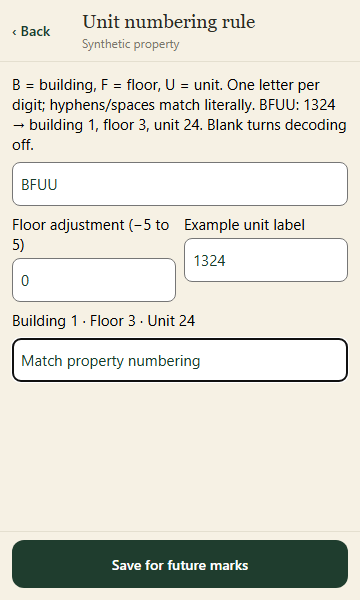
The preview matches the numbering convention and the saved rule applies to future marks.
If something goes wrong
If the existing rule cannot be loaded, refresh before saving. Do not guess a rule for inconsistent labels.