SOP 26 · Property setup · 2026-10-12
Review and publish the master reference
Choose an ordered, reviewed reference from setup walks.
Before you start
Review setup evidence first and verify that the correct property is selected.
Open Manage > Master units & checkpoints > Master review
Step 1 Select the source runs
Select run A and an optional run B. Each run has one Model selector: choose Original unit marks or an analysis model. A saved model revision appears immediately; Analyze recording draws the new result on the main map, including V6. Expand Saved revisions to inspect an older result.
Step 2 Inspect units and differences
Use map, order, floor and differences controls to check labels, sequence, repeated marks and position differences.
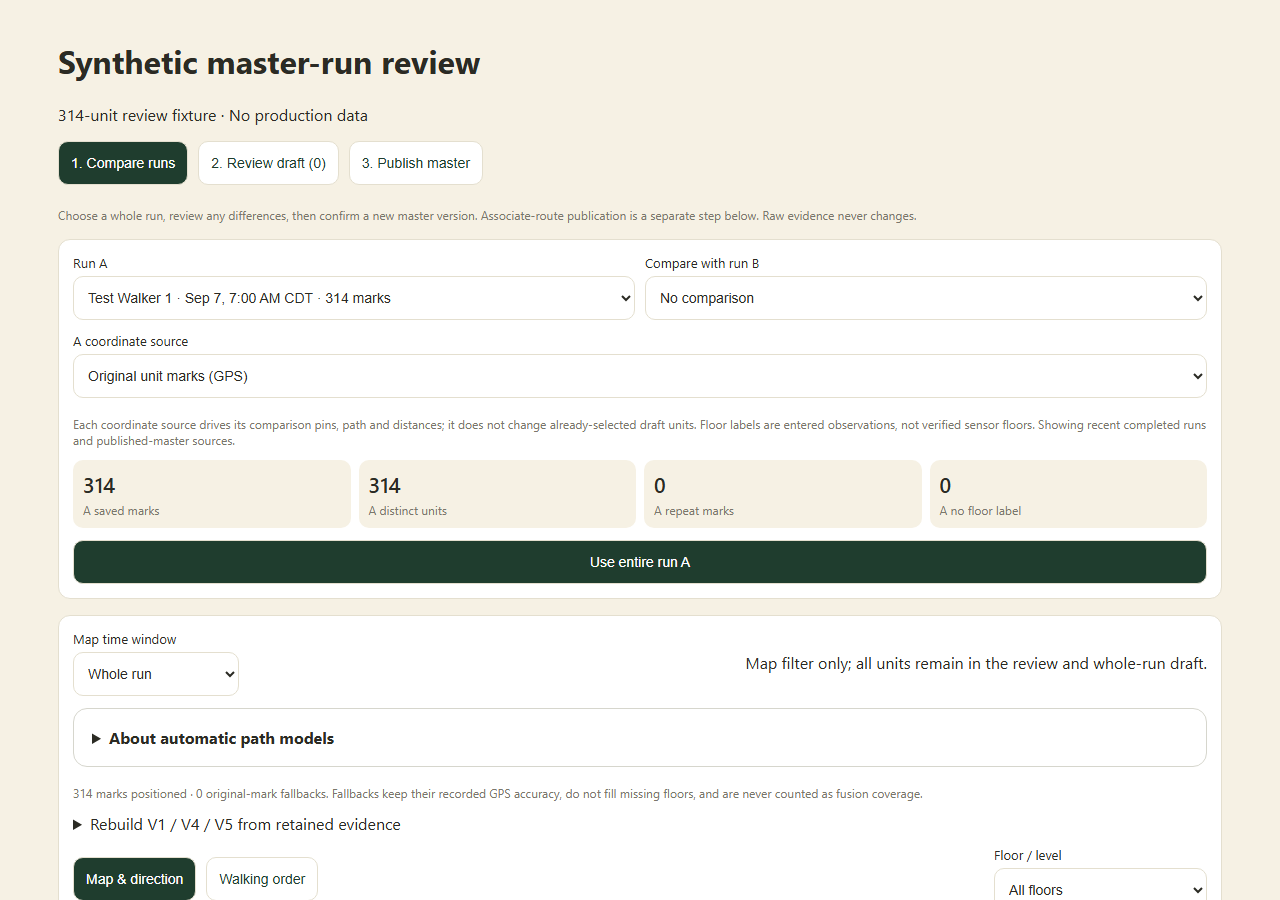
Compare the selected setup runs, coordinate source and unit counts before building a master draft. Application component preview with training data. Select the picture to enlarge. Step 3 Build the draft
Choose original marks or a saved revision, then select unit marks or Use entire run A. On-demand model previews cannot supply publication coordinates until they have a matching saved path. Review the repeated-unit choice, order and source revision. Changing the displayed model preserves units already in the draft.
Step 4 Review publication
Advance through the draft review, enter the required reason and inspect the publication summary.
Step 5 Publish and check the version
Confirm the master publication and verify its saved version. Continue to Publish the associate route to make the units available to future associate runs.
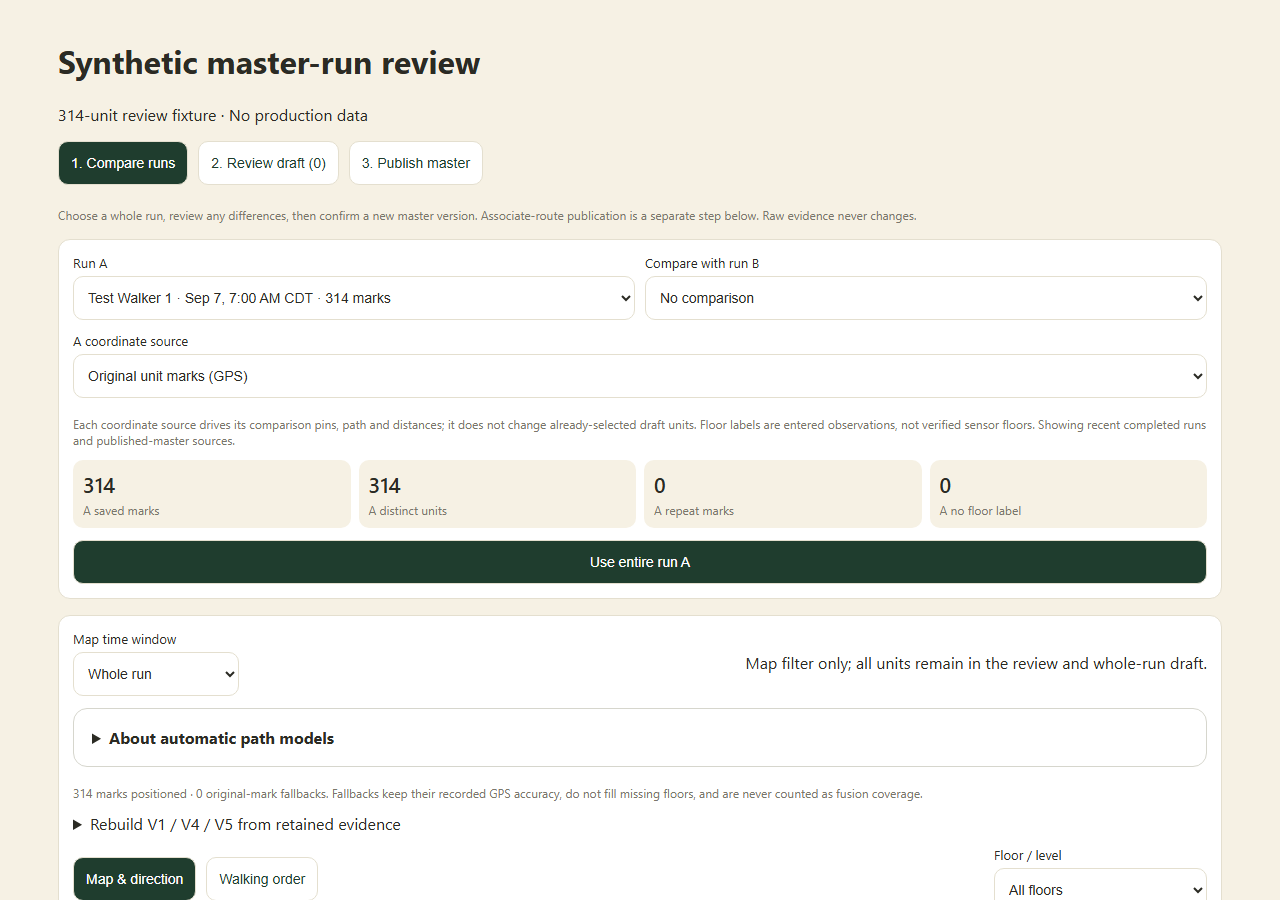
Check your result
A versioned master reference is saved with its selected ordered unit sources.
If something goes wrong
Changing a comparison model should not be treated as automatically changing the published master or an active run.