SOP 53 · Property setup · 2026-10-12
Publish property and global notes
Publish temporary or newcomer instructions to the properties you manage.
Before you start
Prepare a short message without private credentials. Global means the explicitly selected properties, not future properties.
Open Manage > Property and global notes
Step 1 Choose the target and message
Select one property or All properties I manage. Enter the message and choose setup, associate runs or both.
Step 2 Set audience and expiration
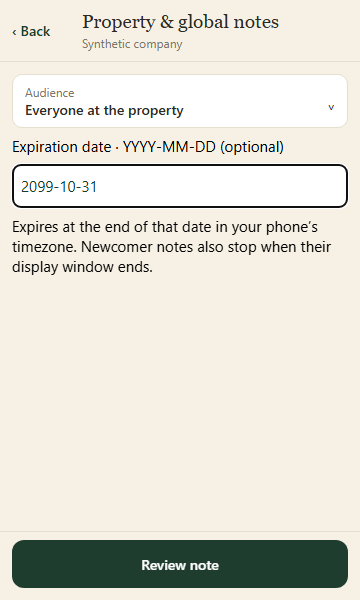
Choose Everyone or New to this property. Newcomer notes appear before the first routine clock-in and for the configured number of days afterward. An optional expiration ends that date in your device time zone.
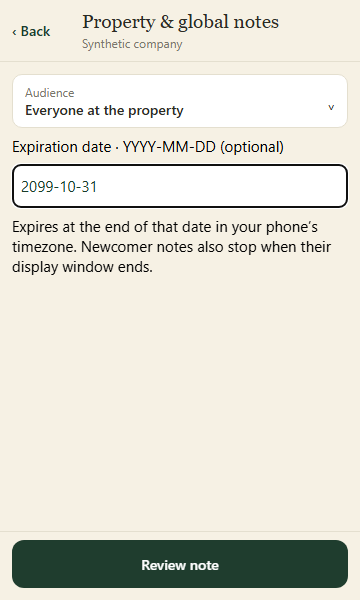
Choose who sees the note and its optional expiration. Review the explicit property target before publishing. Application component preview with training data. Select the picture to enlarge. Step 3 Review and publish
Check the explicit target count, message, audience and expiration, then publish. The message appears in applicable pre-start instructions; it does not send a push notification.
Step 4 Withdraw when no longer needed
Open the note at the relevant property and withdraw it. The history is retained. Global publication creates a separate scoped record for each target.
Check your result
The note appears at the intended properties with its audience and expiration.
If something goes wrong
If publication is uncertain, refresh before retrying. Use direct contact for urgent safety issues.